How it works

The screen does all the conducting

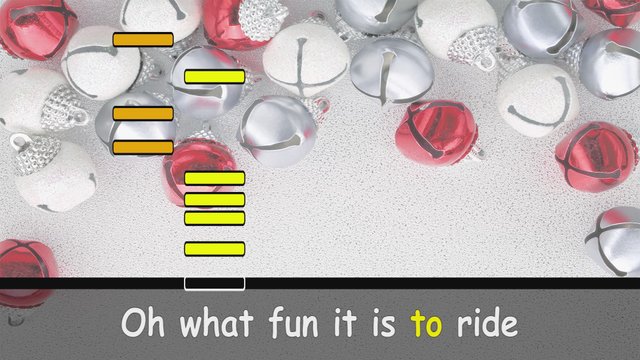
Group handbells always had the same problem: somebody has to stand at the front pointing at a posterboard so everyone stays together. That person never gets to play. Merry Bells replaces them with a screen.

  1. Put it on any screen

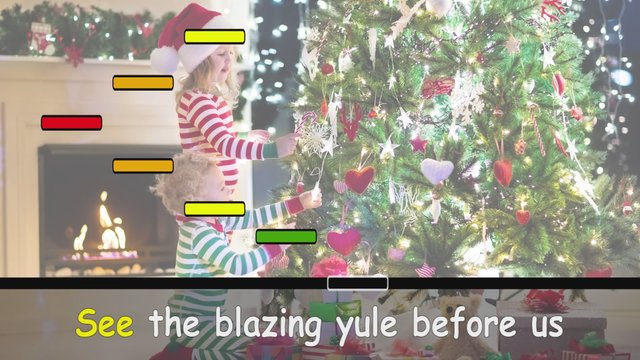
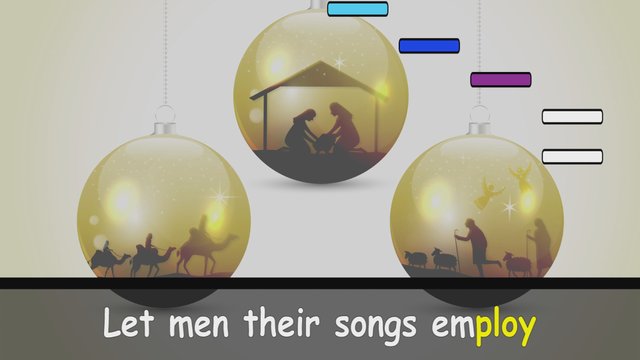
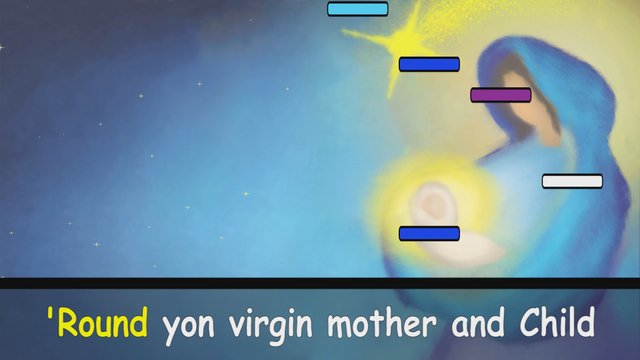
    TV, tablet, laptop, phone, projector. Each bell color gets its own lane, and the bars fall toward a line near the bottom.

  2. Ring when your color lands

    Just watch the screen and ring your bell when your color bar lands on the playline. That is the whole skill. Most people have it inside one song.

  3. The bells make the music

    There is no background accompaniment. Nothing is playing the tune for you. What the room hears is what the room plays.

  4. Everyone sings along

    Lyrics run along the bottom of the screen, so the people not holding a bell still have something to do.

How many people do I need?

Anywhere from one to eight. One person can hold several bells, or hand them round a room of twenty and swap between songs. Groups have played with three people and a lot of duct tape. The melody version works better for small groups, the harmony version for larger ones.

Getting your songs

Stream your songs from your account

Everything you buy on this website goes into your own library and plays right in the browser, on any phone, tablet, laptop or computer. There is nothing to install. Three steps and you are ringing along.

  1. Step 1

    Create your login

    Sign up with your name, your email address and a password. We email you a code, you type it in, and your account is ready.

    Bought something here without an account? Sign up with that same email address and those songs move into your library on their own.

    Create your account

  2. Step 2

    Buy your digital songs

    Pick single songs one at a time, a whole collection of 30 at once, or all 180 with All-Access.

    However you buy them, every song comes in both versions: Single-Note Melody and Multi-Note Harmony.

    Got a gift code on a card or in an email? Sign in and enter it on the redeem page, and its songs go straight into your library.

    Would you rather have a disc? Every collection is still sold as a Play-Along DVD, for any DVD player, with nothing to sign in to.

    Browse the songsOr start with a free one

  3. Step 3

    Open your library and press Play

    Sign in on any phone, tablet, laptop or computer and you land in your library. Every song you own is there from the moment you pay, sorted into its collection, ready to play and yours to keep.

    Open your library

What you can do in your library

Play along on screen, at four speeds

Open any song and tap Play along, under the video. Eight bells appear, and you tap one, or press keys 1 to 8, when its color lands. It is the demo at the bottom of this page, with every song you own.

Pick a speed as you play: Easy is half speed, Medium the real tempo, Hard half again as fast, and Bell Master double. Your choice stays put from song to song.

Try the demo

Play all, or shuffle a collection

Choose a collection in your library and press Play all: every song you own in it plays back to back, with a five-second countdown between songs to get the next bells ready. Shuffle plays the same songs in a random order, each one once, and Loop keeps it going.

It works however you bought them, as a whole collection or a song at a time.

Put it on the TV

Play the song on your phone, tablet or laptop and mirror the screen to the TV, the same way you would share holiday photos.

AirPlay
iPhone, iPad or Mac, to an Apple TV or an AirPlay TV.
Chromecast
Android phones and the Chrome browser, to a Chromecast or Google TV.
HDMI cable
Any laptop, into any TV or projector. Works every time.

Go as big as you can: everyone in the room needs to see their color coming.

Play without internet, even camping

Download the songs before you go. Open any song in your library, press Download this version, and the video saves to your device. It plays with no Wi-Fi and no signal: at the campsite, at Grandma’s, or in a church hall with no reception.

Each song can be downloaded 10 times from your account, and the file is licensed to your family, so please do not pass it on. The downloaded video is for playing with real bells; the on-screen bells need the website.

All eight bells of the set in a row, red through white.

Lost or broke a bell?

Replace just that one. Every bell in the set is sold on its own, in its own color and note, for $6.95. It is the same bell, with its note marked on the end of the handle, so it slots straight back into every song.

Choose a replacement bell

Single player

Nobody around? Play it yourself.

Every song in your library plays solo, right in the browser. Tap the bells on screen or use keys 1-8. No group, and you do not even need the bells in your hands to have a go.

Now playing · Rudolph The Red-Nosed Reindeer

Press Play to start

When a bar lands, ring its bell

  1. Colored bars fall down the screen.
  2. The bells ring themselves as each bar lands.
  3. Tap a bell whenever you like, and it’s your turn.

Too fast? Slow it down.

Every song plays at four speeds, so you can start slow while you find the notes and work up from there.

  • Easy

    Half speed. Learn the tune.

  • Medium

    The real tempo.

  • Hard

    Half again as fast.

  • Bell Master

    Double speed. Bragging rights.